TAI Advisor
TAI Advisor uses available operational evidence to explain issues and propose a next action. Depending on what is enabled, a review can start from an alert or a configured workflow. Some workflows prepare a shift briefing instead of proposing new work.
Availability and review. Advisor workflows require workspace setup. Available findings depend on linked sources and current evidence. A work status alone does not prove that equipment has recovered.
Watch the product walkthrough
From an operational signal to reviewed work. Follow the complete process in this guided product demonstration, with clear narration, readable screens and a result at the end.
Use the chapter sections in the progress bar to revisit a step. Choose English or Hebrew in the captions settings, and use fullscreen to inspect interface details. The walkthrough images below also open at full size.
Walkthrough images
Key steps from the product demonstration.
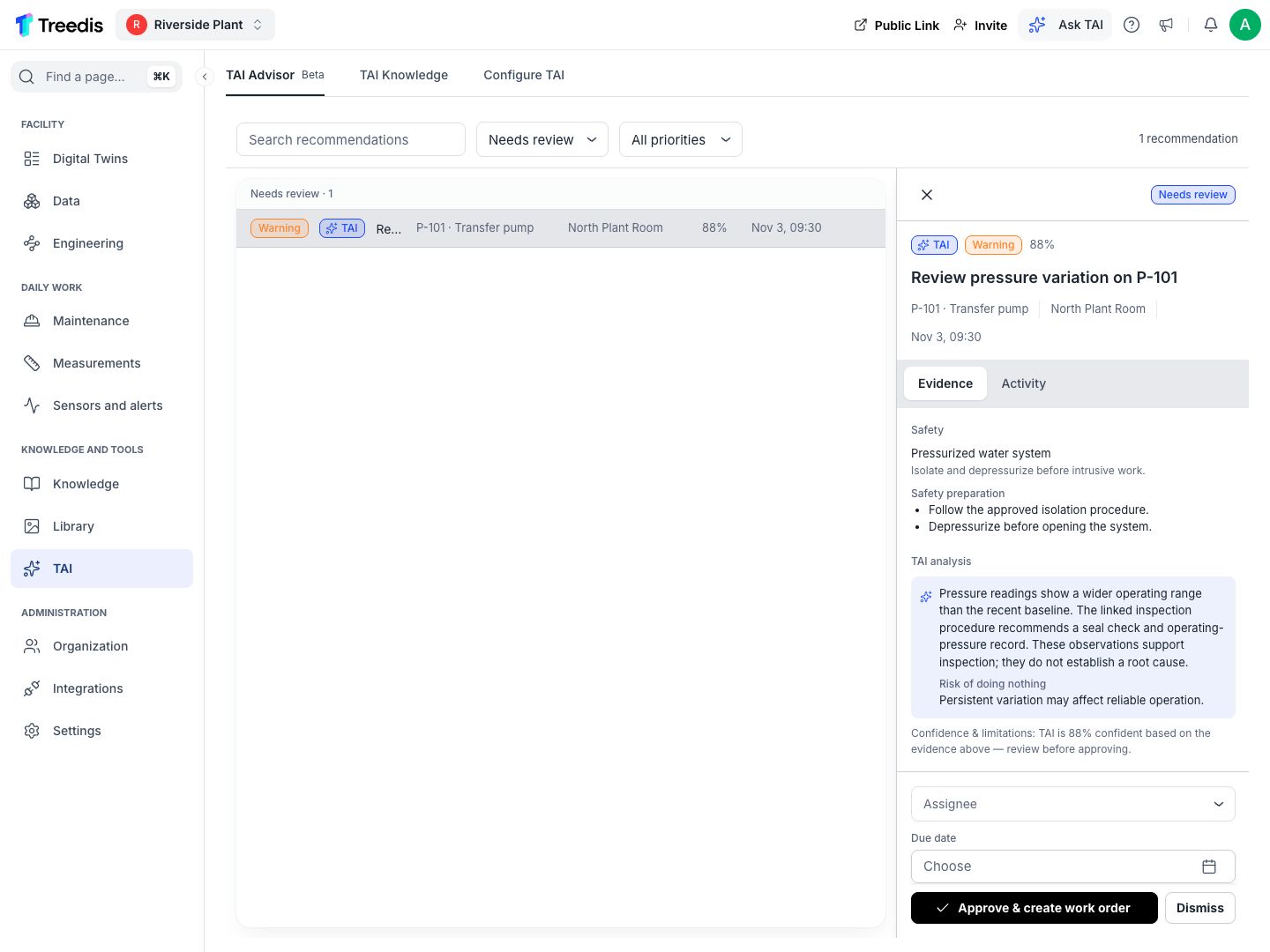
Read the proposed finding. Open the image to read it at full size.
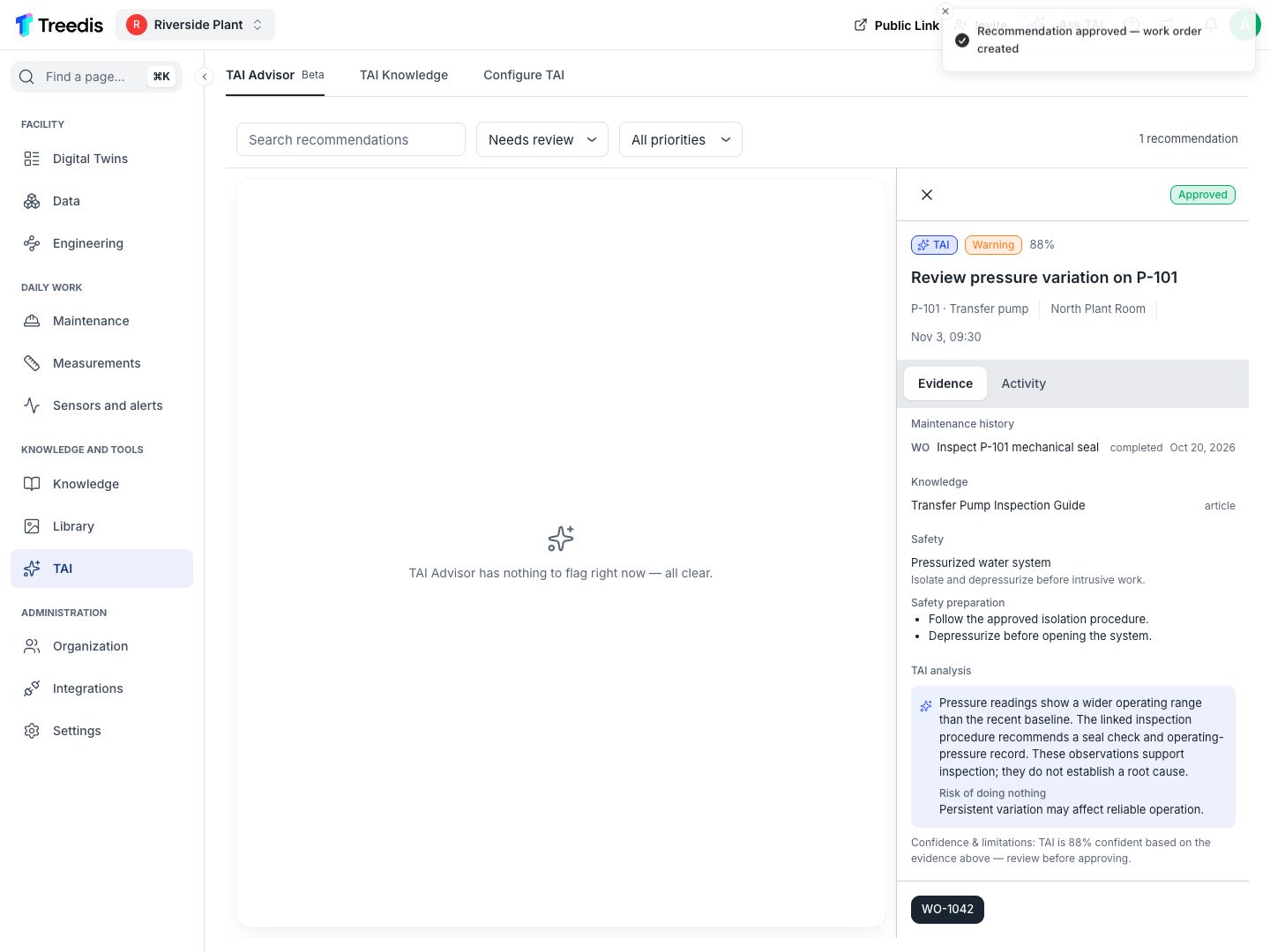
Continue to a work order. Open the image to read it at full size.
Watch the process explainer
This narrated animation explains the process. It is an overview, rather than a recording of the product interface.
Use the chapter sections in the progress bar to revisit a step. English subtitles are on by default; choose Hebrew in the captions settings.
A simple example
A temperature alert on P-101 can be reviewed alongside recent readings, related work history and an approved procedure. The proposed action should explain what is known and what is still uncertain.
The user flow
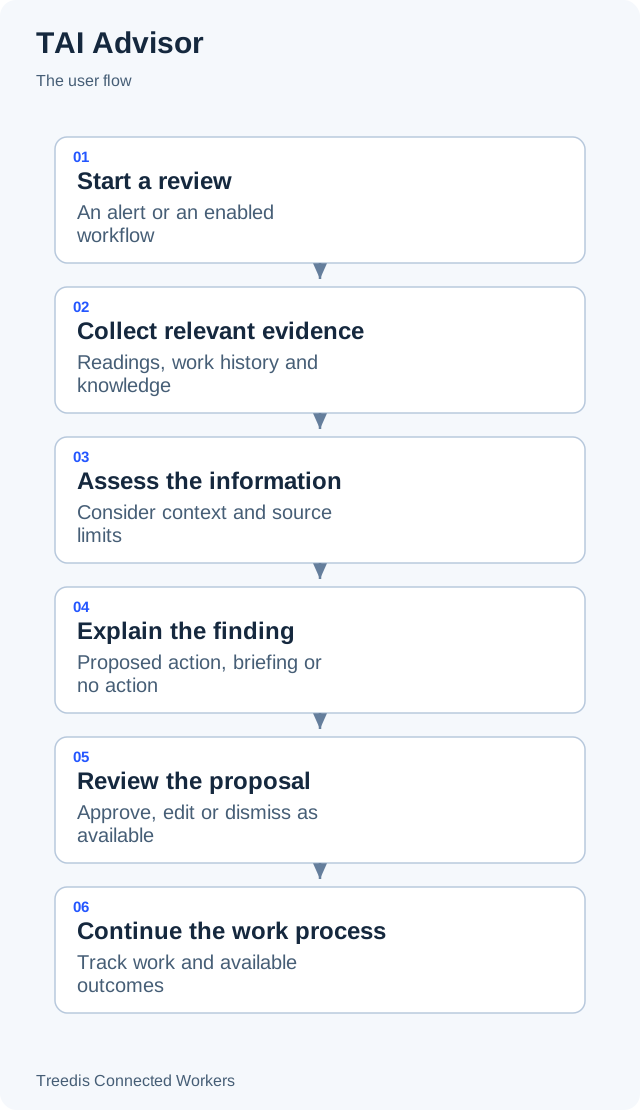
- Start a review. An alert or an enabled workflow.
- Collect relevant evidence. Readings, work history and knowledge.
- Assess the information. Consider context and source limits.
- Explain the finding. Proposed action, briefing or no action.
- Review the proposal. Approve, edit or dismiss as available.
- Continue the work process. Track work and available outcomes.
How it works
The diagram below shows the general information flow. Open it to view the labels at full size.
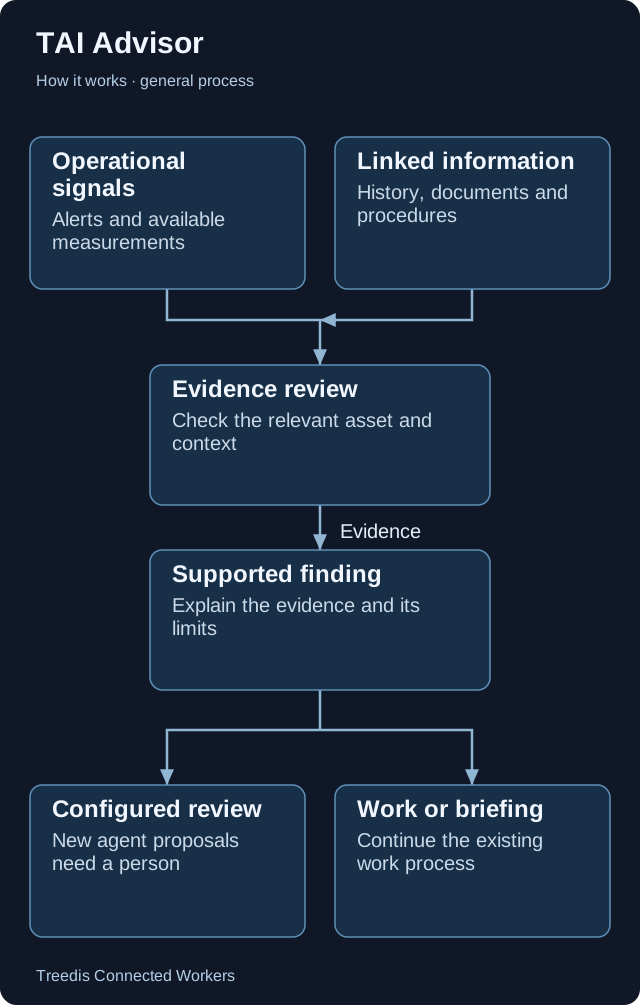
- Operational signals. Alerts and available measurements.
- Linked information. History, documents and procedures.
- Evidence review. Check the relevant asset and context.
- Supported finding. Explain the evidence and its limits.
- Configured review. New agent proposals need a person.
- Work or briefing. Continue the existing work process.
Technical overview
Advisor has an existing alert-recommendation route and newer configured agents. Both assemble operational context before asking a model to explain findings. Configured agents can investigate faults, review recurring work or prepare a shift briefing.
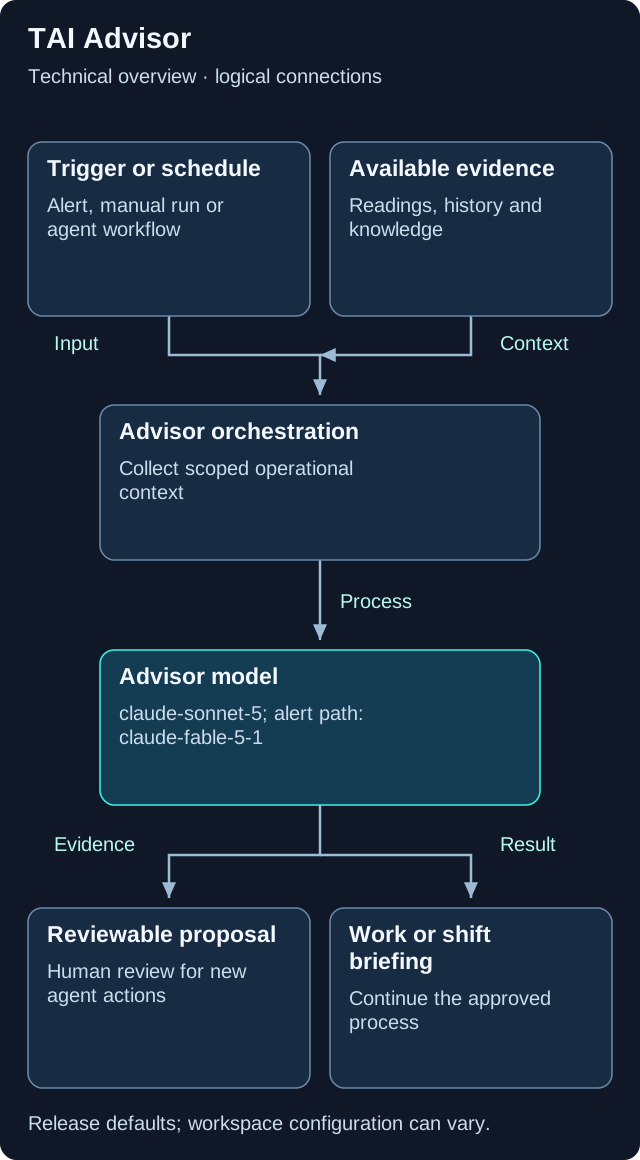
This is a logical overview. Open the diagram for full-size labels. Tool calls and searches can repeat during a request.
Models and components
| Role | Release default or method | What it does |
|---|---|---|
| Configured Advisor agents | claude-sonnet-5 |
Default for new agent runs through the workspace provider. |
| Existing alert recommendations | claude-fable-5-1 |
Default for the earlier alert route. |
Two routes
The existing alert path can use standing recommendation rules. New configured agents use the selected workspace provider and keep a record of their run and evidence.
Review is part of the flow
New agent proposals require a person to approve, edit or dismiss them. A shift briefing summarizes the situation without proposing additional actions.
Evidence has limits
Missing or stale readings remain uncertainty. A completed work order describes a work status; a follow-up observation or measurement is needed to establish physical recovery.
Version note. This overview is based on CW release/1.0.1. Model names describe the defaults in that release. Workspace provider choices, deployment settings, feature availability and later releases can change the actual model or path.
What your team controls
| TAI helps with | Your team controls |
|---|---|
| TAI explains available evidence and prepares a supported finding. | Your configured review process decides what work proceeds. New agent proposals require human review. |
Data and asset tips
- Bind sensors to the correct equipment. Use clear measurement names, units and threshold rules. Check the asset and location assignments.
- Keep readings and time context. Retain useful history and timestamps. Make stale, missing or unreliable readings visible.
- Use accurate work statuses. Distinguish a request from an order and a reported issue from a confirmed fault. Keep the asset code consistent.
- Record what happened after the work. Capture the work performed and relevant follow-up observations. Marking an order complete is not a recovery measurement.
- Link approved knowledge. Attach relevant procedures and existing safety information. Configure the intended area and shift times for enabled workflows.
FAQ
Does Advisor run without setup?
Workflows must be available and configured for your workspace. Ask your administrator which sources and workflows are enabled.
Does no recommendation mean everything is fine?
No. Sources can be missing, stale or outside the available scope. An empty result does not establish that equipment is healthy.
Related guides
TAI overview Choose the right TAI feature and understand how the parts connect. Knowledge and search Prepare useful sources and understand search readiness.Need help?
Ask your workspace administrator about enabled features and source access. For help with TAI, contact support@treedis.com.