Knowledge and search
TAI can retrieve useful information from available workspace sources, including approved knowledge and linked files. Search can use meaning as well as words, so a question does not always need to repeat the exact wording in a document. Source links and clear equipment context help TAI find relevant evidence.
Availability and review. Supported sources and retrieval paths vary. Search readiness, workspace settings and your access affect what can appear in an answer.
Walkthrough images
Keep approved knowledge linked to its subject.
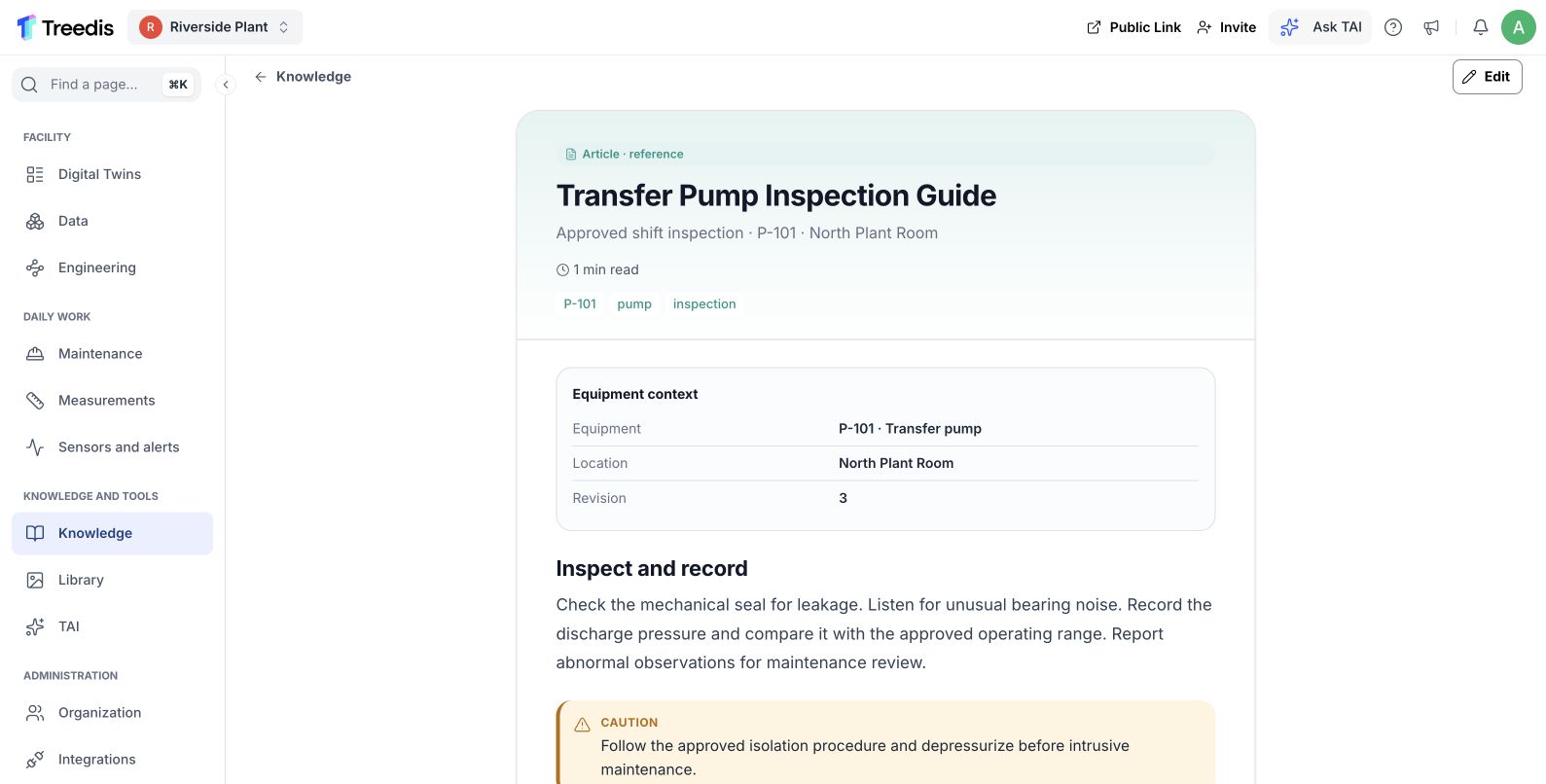
An approved inspection reference connected to P-101. Open the image to read it at full size.
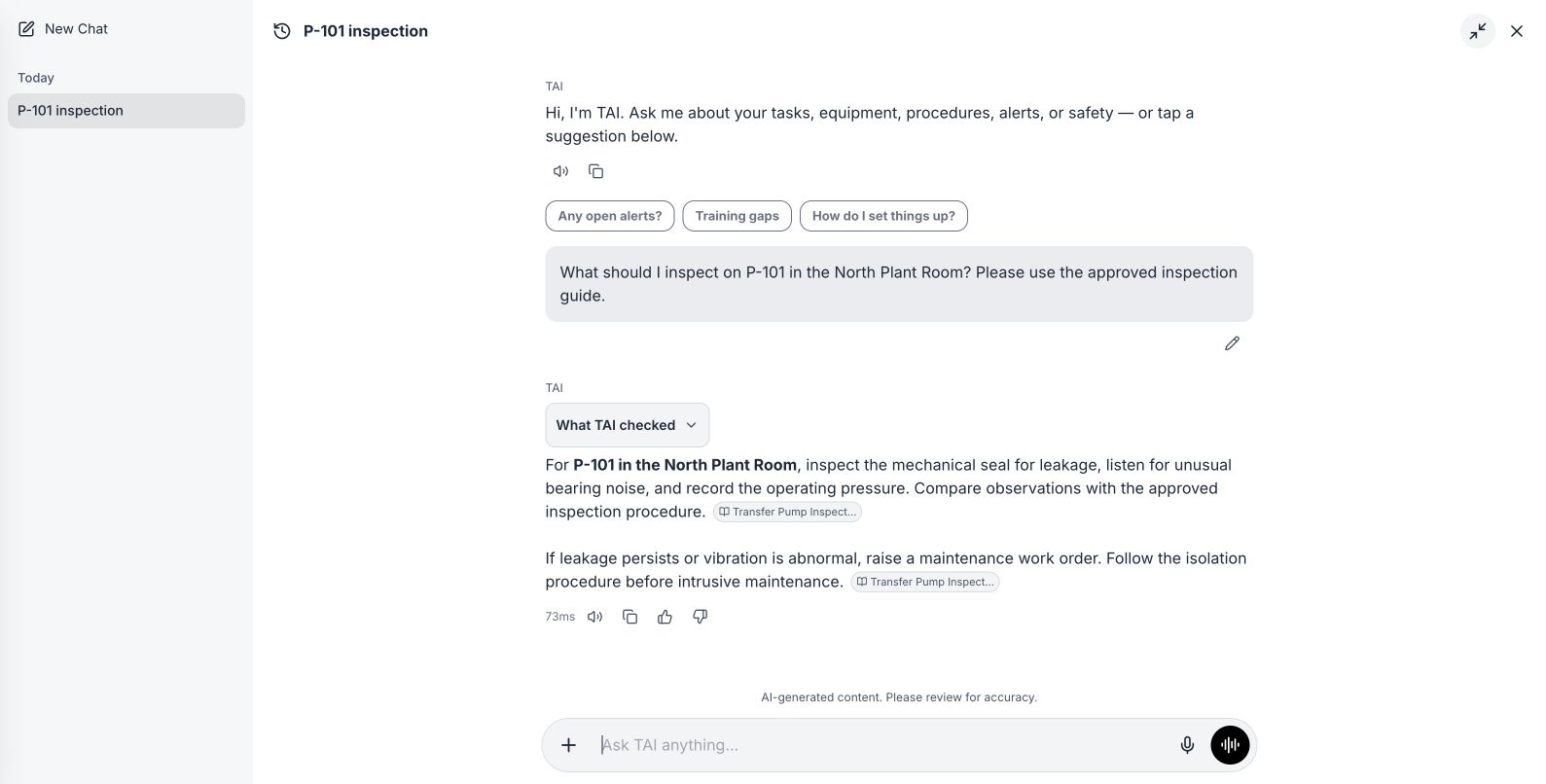
An answer uses the relevant source and equipment context. Open the image to read it at full size.
Watch the process explainer
This narrated animation explains the process. It is an overview, rather than a recording of the product interface.
Use the chapter sections in the progress bar to revisit a step. English subtitles are on by default; choose Hebrew in the captions settings.
A simple example
A worker asks how to restart P-101. An approved procedure titled “Return P-101 to service” may still be relevant even though it uses different words.
The user flow
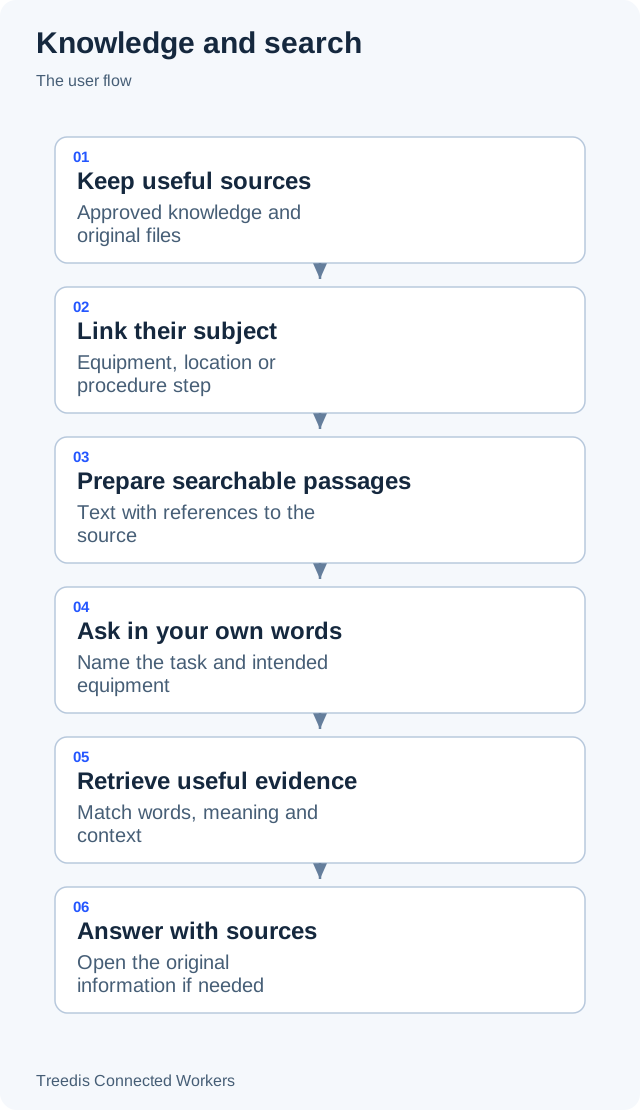
- Keep useful sources. Approved knowledge and original files.
- Link their subject. Equipment, location or procedure step.
- Prepare searchable passages. Text with references to the source.
- Ask in your own words. Name the task and intended equipment.
- Retrieve useful evidence. Match words, meaning and context.
- Answer with sources. Open the original information if needed.
How it works
The diagram below shows the general information flow. Open it to view the labels at full size.
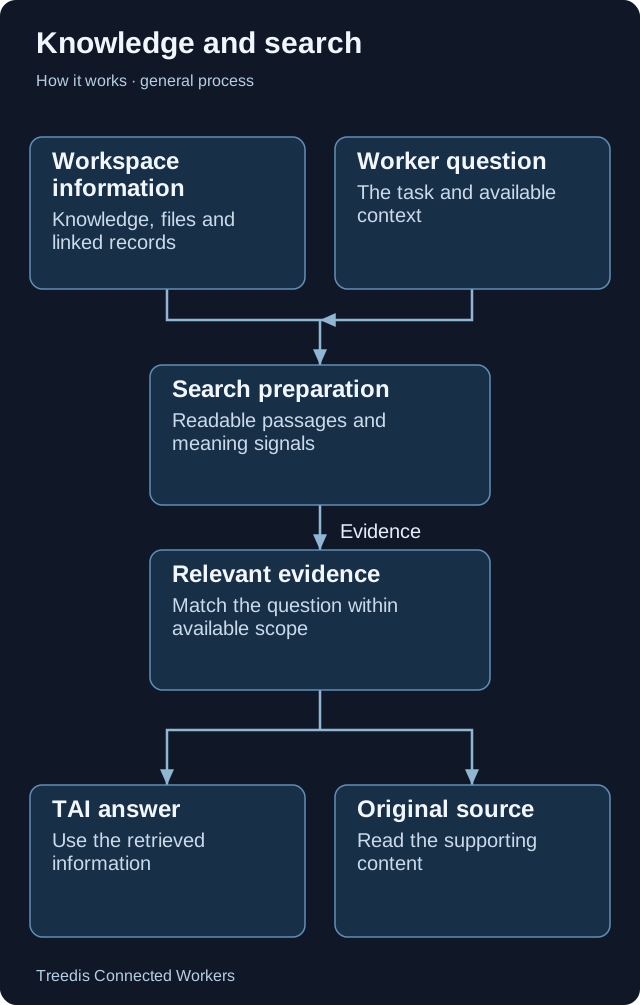
- Workspace information. Knowledge, files and linked records.
- Worker question. The task and available context.
- Search preparation. Readable passages and meaning signals.
- Relevant evidence. Match the question within available scope.
- TAI answer. Use the retrieved information.
- Original source. Read the supporting content.
Technical overview
The knowledge base contains the source information people maintain. The vector database is a search layer over readable passages from supported sources. TAI retrieves those passages and their source references when a question needs them.
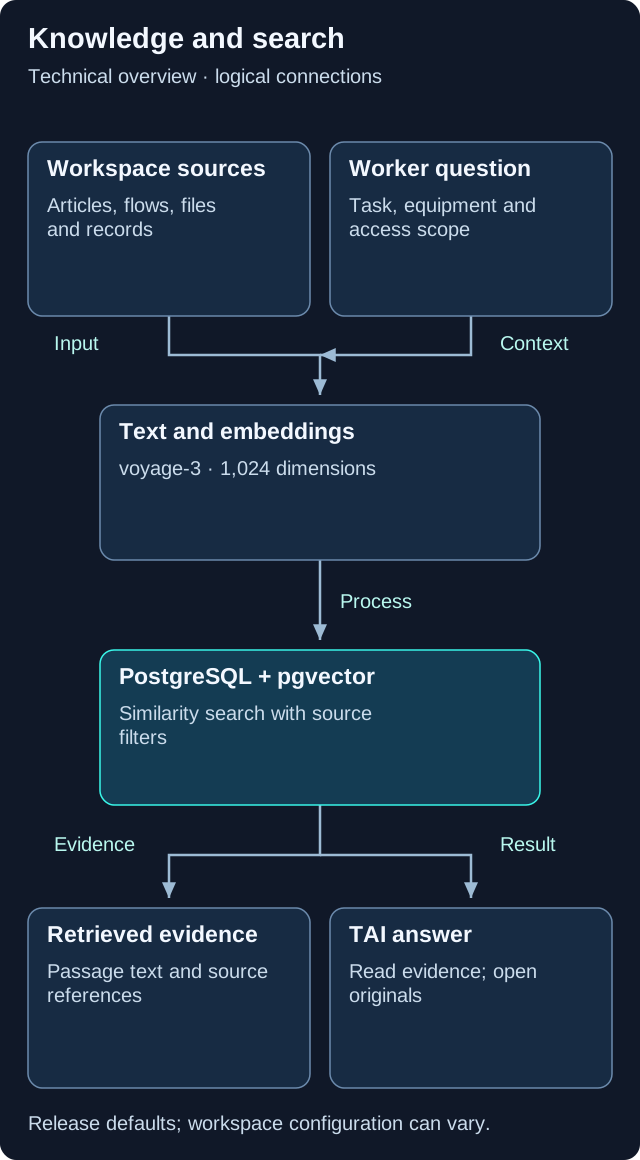
This is a logical overview. Open the diagram for full-size labels. Tool calls and searches can repeat during a request.
Models and components
| Role | Release default or method | What it does |
|---|---|---|
| Document and query embeddings | voyage-3 |
1,024-dimensional meaning vectors. |
| Cached file summaries | claude-haiku-5-5 |
Default summary model; provider fallback can differ. |
Knowledge base versus vector database
Articles, procedures and originals remain the authoritative content. PostgreSQL with pgvector stores searchable passages, source metadata and numeric vectors. Original files are kept in object storage.
What is stored in a vector?
The release uses voyage-3 with 1,024 dimensions. Workspace knowledge uses half-precision vectors; space-document retrieval uses full-precision vectors. Both use HNSW indexes to make similarity lookup efficient. A vector represents meaning, not a copy of the original file.
Question to answer
A query embedding is compared with prepared document embeddings using cosine similarity. Source-type filters, workspace scope and access checks limit retrieval. The answer model then reads the returned text and references.
Sources have different tools
Supported indexed types include articles, flows, assets, library files, step files, work orders and alerts. Each retrieval tool uses its own supported types and scope; a single search does not necessarily cover all of them.
Summaries are a separate aid
Whole-file summaries can be cached against the current content hash. They help with context but do not replace the original file or the passage index. Indexing is retrieval preparation, rather than model training.
Version note. This overview is based on CW release/1.0.1. Model names describe the defaults in that release. Workspace provider choices, deployment settings, feature availability and later releases can change the actual model or path.
What your team controls
| TAI helps with | Your team controls |
|---|---|
| TAI retrieves relevant passages and can use them to prepare an answer. | Your team maintains the approved source material and checks important information. |
Data and asset tips
- Keep readable originals. Upload original documents where possible. A screenshot can lose useful text and structure.
- Use clear titles and revisions. Include the task or equipment family and keep the approved revision easy to identify. Retire obsolete copies.
- Link content to its subject. Attach the correct file to the asset, location or procedure step that it explains.
- Keep key facts in the text. Use meaningful headings and complete instructions. Avoid storing important details only inside decorative graphics.
- Check search readiness. If a source is missing from an answer, check its visibility, indexing status and whether its text can be read.
FAQ
What is a vector or meaning-based search?
It represents text as a numeric meaning signal and compares the question with prepared passages. This helps find related wording. The source text and its context still matter.
Does indexing train the assistant on our files?
Indexing prepares information for retrieval when a question needs it. It is a search preparation step, rather than a model-training step.
Does every search look across every source type?
No. The available search tools use different source types and scopes. Linked files, knowledge and equipment can follow different retrieval paths.
Related guides
TAI overview Choose the right TAI feature and understand how the parts connect. Background indexing Prepare useful sources and understand search readiness.Need help?
Ask your workspace administrator about enabled features and source access. For help with TAI, contact support@treedis.com.