TAI Flows
TAI Flows helps you create a procedure from source documents or video. It drafts ordered steps and can include decisions, source images or video clips when the input supports them. Review the generated procedure, save a draft and use the normal publishing process.
Availability and review. Generated wording, branches, media and spatial placement need review. Available generation and placement options depend on your source and workspace setup.
Watch the product walkthrough
From a source document to a published procedure. Follow the complete process in this guided product demonstration, with clear narration, readable screens and a result at the end.
Use the chapter sections in the progress bar to revisit a step. Choose English or Hebrew in the captions settings, and use fullscreen to inspect interface details. The walkthrough images below also open at full size.
Walkthrough images
Key steps from the product demonstration.
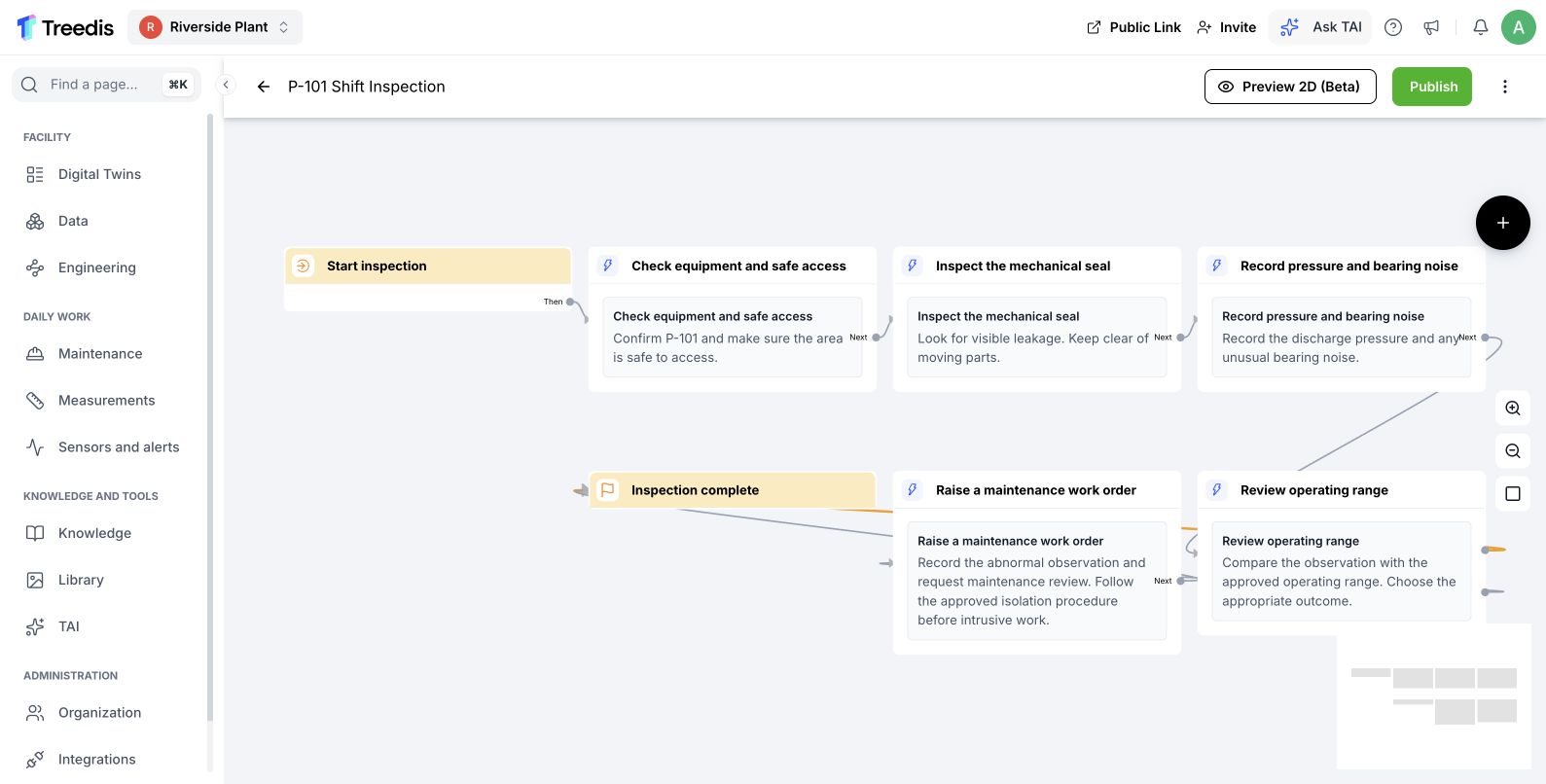
Review the draft structure. Open the image to read it at full size.
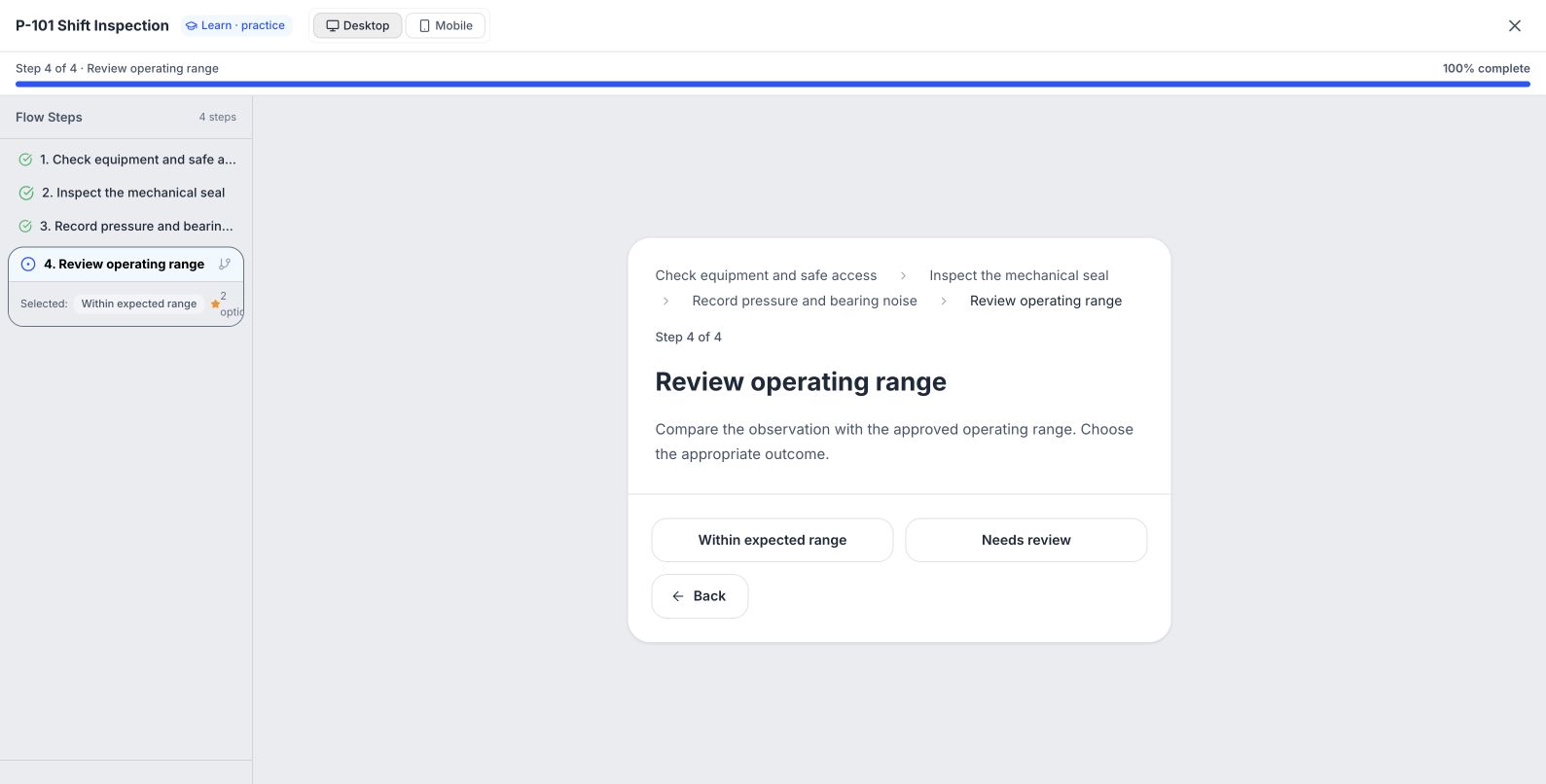
Test the procedure in preview. Open the image to read it at full size.
Watch the process explainer
This narrated animation explains the process. It is an overview, rather than a recording of the product interface.
Use the chapter sections in the progress bar to revisit a step. English subtitles are on by default; choose Hebrew in the captions settings.
A simple example
Use an approved restart procedure for P-101 as the source. Keep its step order, checks and decisions explicit so the generated draft can preserve the intended process.
The user flow
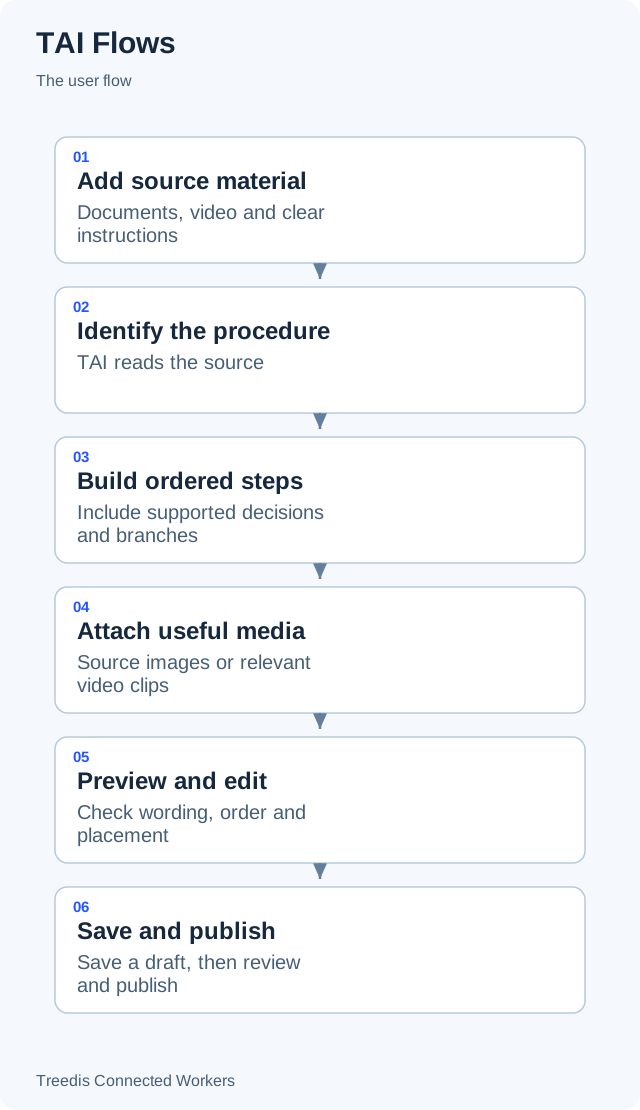
- Add source material. Documents, video and clear instructions.
- Identify the procedure. TAI reads the source.
- Build ordered steps. Include supported decisions and branches.
- Attach useful media. Source images or relevant video clips.
- Preview and edit. Check wording, order and placement.
- Save and publish. Save a draft, then review and publish.
How it works
The diagram below shows the general information flow. Open it to view the labels at full size.
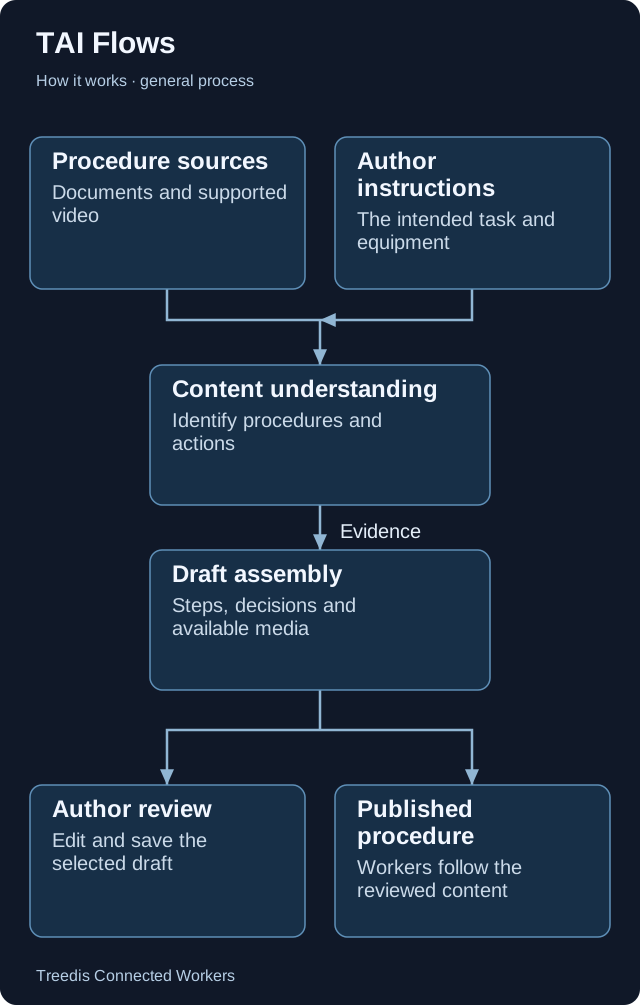
- Procedure sources. Documents and supported video.
- Author instructions. The intended task and equipment.
- Content understanding. Identify procedures and actions.
- Draft assembly. Steps, decisions and available media.
- Author review. Edit and save the selected draft.
- Published procedure. Workers follow the reviewed content.
Technical overview
A background generation service reads your source and instructions, asks Gemini for structured procedures, and assembles steps with available source media. The editor returns the result for review before publication.
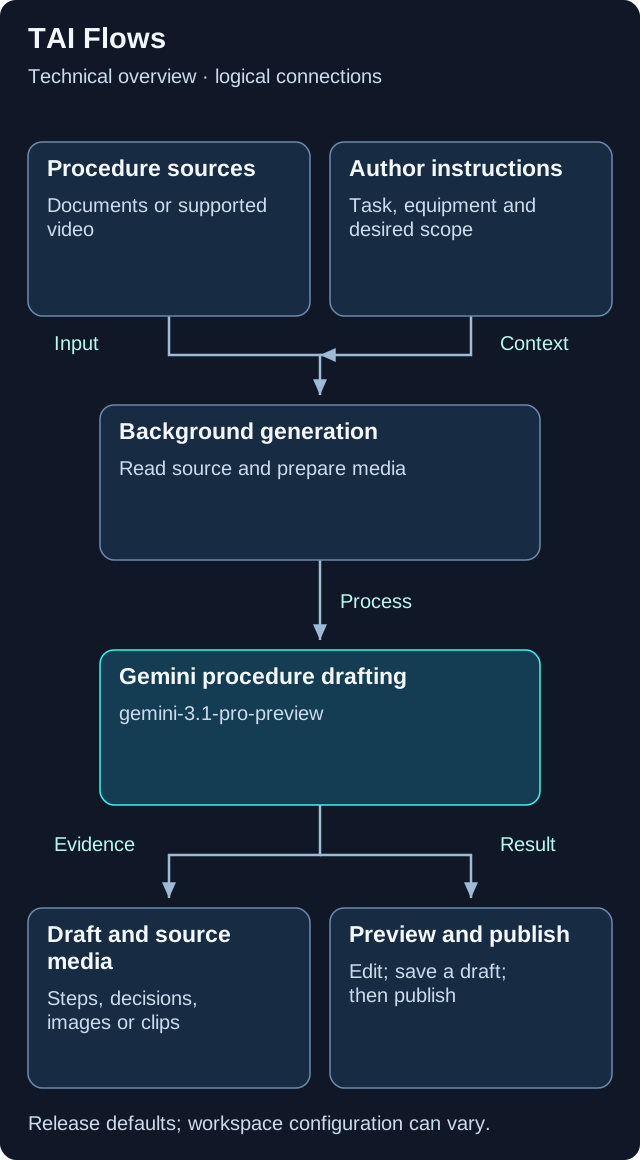
This is a logical overview. Open the diagram for full-size labels. Tool calls and searches can repeat during a request.
Models and components
| Role | Release default or method | What it does |
|---|---|---|
| Procedure generation | gemini-3.1-pro-preview |
Default for understanding the source and producing structured steps. |
Separate background work
Generation runs as a background task so document reading and video processing can continue while the editor shows progress.
Media comes from the source
The service can extract document images and create relevant video clips. A source can return more than one procedure; the author selects which drafts to save.
Placement is optional
When configured, localization can assist with spatial placement. Generated order, branches, wording, media and placement still need review. This authoring path is separate from AURA’s runtime tracking.
Version note. This overview is based on CW release/1.0.1. Model names describe the defaults in that release. Workspace provider choices, deployment settings, feature availability and later releases can change the actual model or path.
What your team controls
| TAI helps with | Your team controls |
|---|---|
| TAI prepares a structured draft from the material you provide. | You review the procedure and choose when it is ready to publish. |
Data and asset tips
- Separate unrelated procedures. Give each task a clear heading. Avoid mixing several unrelated jobs in one unstructured section.
- Make the sequence explicit. Use numbered actions and clear if/then decisions. Keep prerequisites and completion checks in the source.
- Use readable documents and clear video. Prefer original text documents. Show each action and its equipment clearly in video.
- Name the equipment and location. Use stable equipment codes. Keep each image or clip beside the step it explains.
- Review the draft before publishing. Check order, branches, wording, source media and required approvals. Confirm any spatial placement.
FAQ
Is a generated procedure published immediately?
No. The Connected Workers generation flow saves selected procedures as drafts. Use the normal review and publishing process.
Can one source produce more than one procedure?
Yes. When separate procedures are identified, review the returned drafts and choose which ones to save.
Related guides
TAI overview Choose the right TAI feature and understand how the parts connect. Knowledge and search Prepare useful sources and understand search readiness.Need help?
Ask your workspace administrator about enabled features and source access. For help with TAI, contact support@treedis.com.